

VPN for iPhone, iPad and Mac.
Get an access key in your account. Use it across devices to sign in, check your subscription and manage access.
How your key works
Save your access key
Create a key in your account. Copy it or download a text file.
Sign in on another device
Open your account on a phone or computer and enter the same key. Your session list will update.
Connect to the VPN
After the app and subscriptions launch, enter your key in the client. An active subscription unlocks server selection.
The app
Inside CommercialVPN
Explore the phone and tablet interfaces. These captures show a test build running in Russian with sample data.
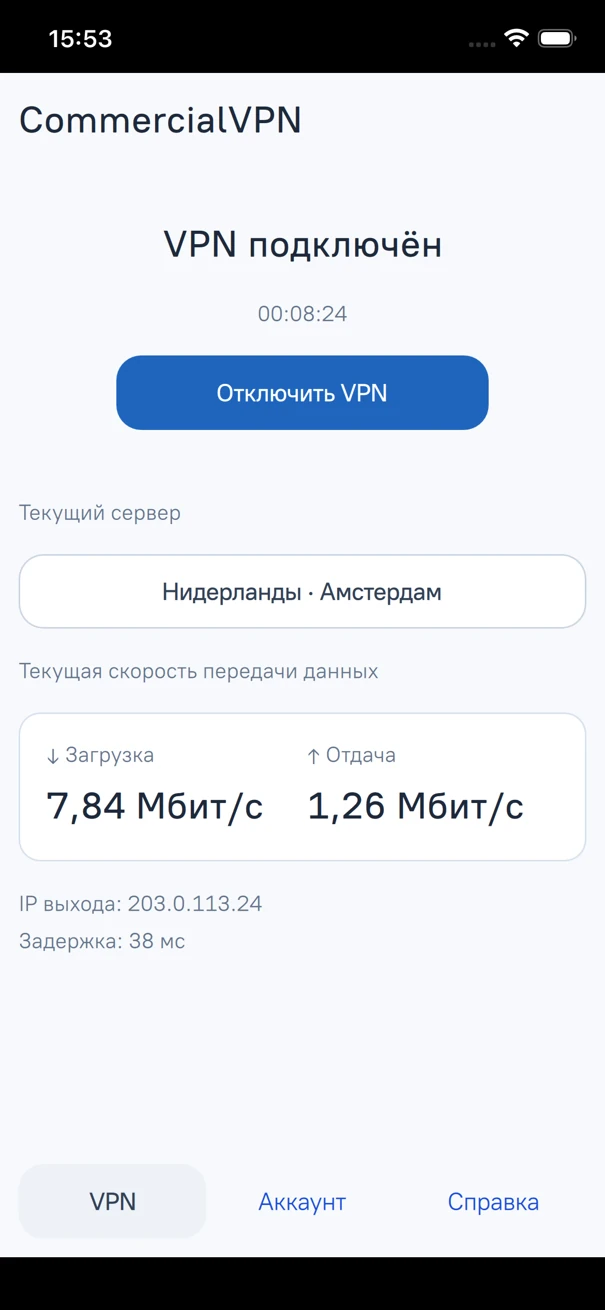 Enlarge screen
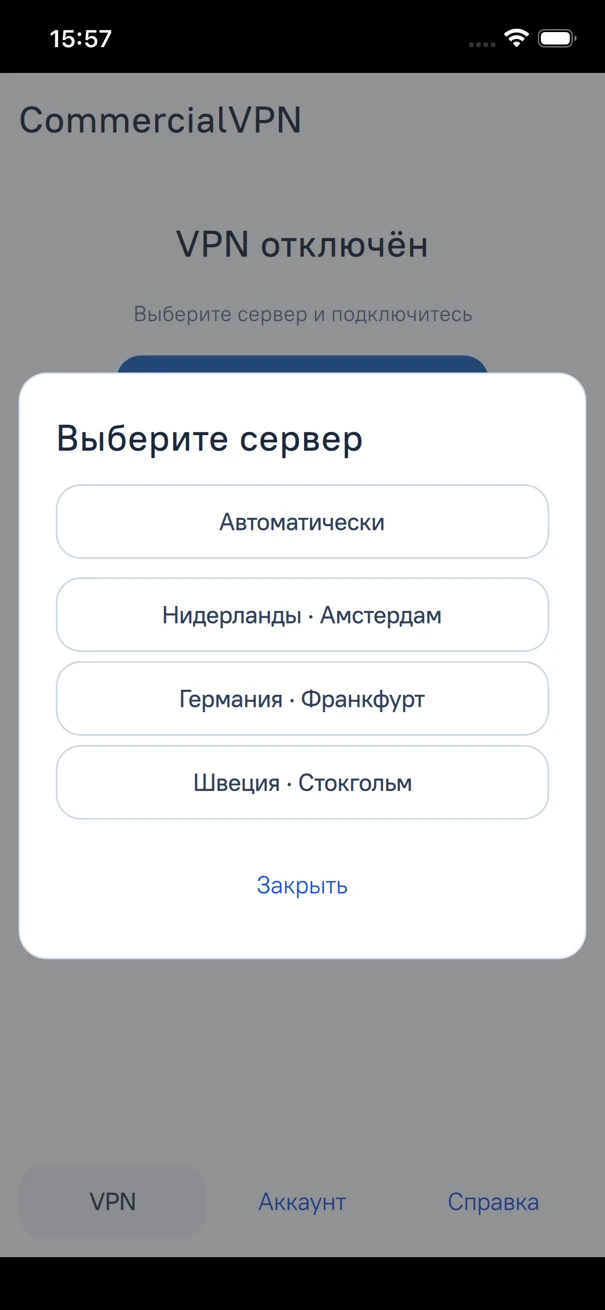 Enlarge screen
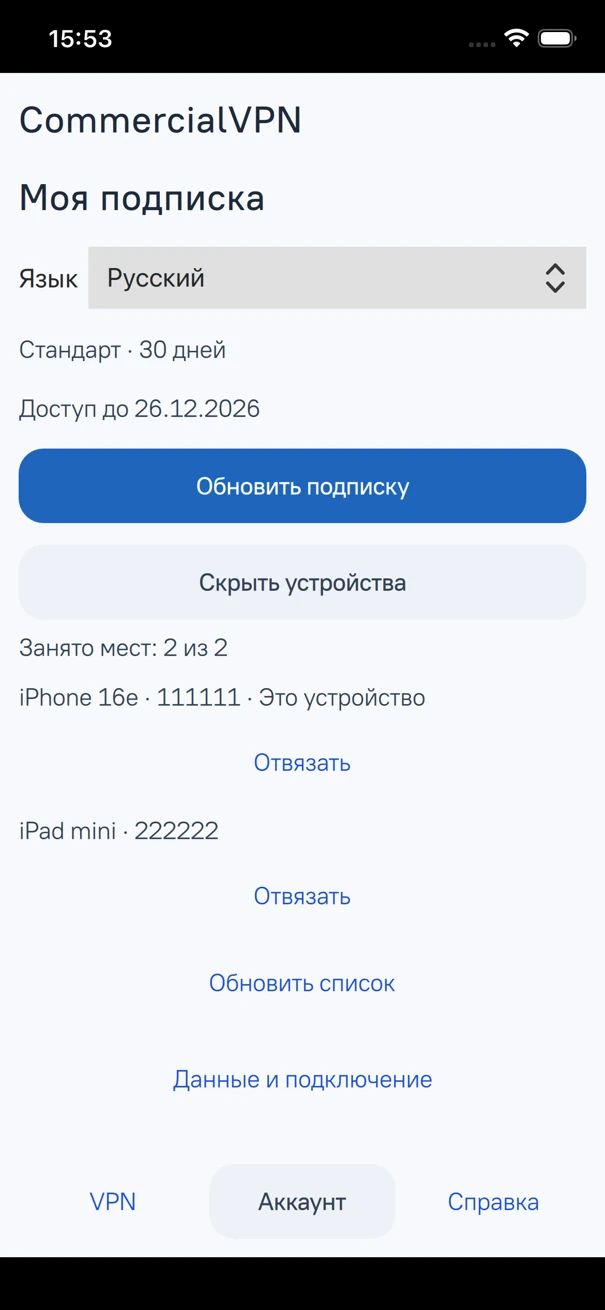 Enlarge screen
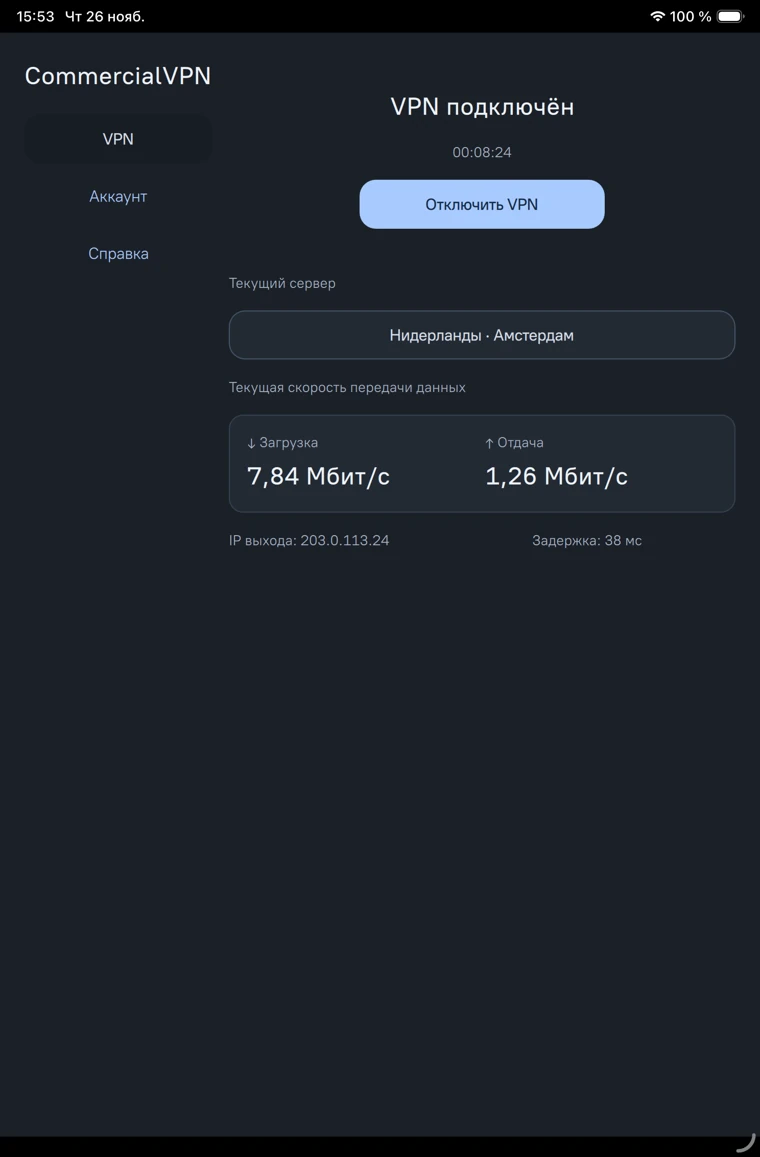 Enlarge screen
Release
Devices and availability
The apps are being tested. Official downloads and subscription terms will appear here when the public release is ready.
iPhone
iOS 16 or later
An iPhone build is available internally. Its interface has been tested in the simulator. App Store distribution is being prepared.
iPad
iPadOS 16 or later
The tablet layout supports portrait and landscape. The connection screen and device management have been tested in the iPad simulator.
Mac
Targeting macOS 13 or later
The desktop client is being tested. Requirements and an official installer will appear on this page at release.
Help
Common questions
How do I get a key?
Open My account, create a key and save it in your password manager or download the text file. To sign in on another device, enter the same key.
Where can I download CommercialVPN?
The public release is being prepared. Verified download links for iPhone, iPad and Mac will appear under Apps on this site.
How much will a subscription cost?
Sales have not opened. The price, billing period, device limit and renewal terms will be published before customers can pay.
Which languages does the app support?
The mobile client supports English and Russian. You can change the language in Account.
What does the speed on the home screen mean?
It shows how much data the device is sending and receiving each second. When there is little traffic, the readings can be close to zero.
How do I see my devices?
Open Account in the mobile app and expand the device list. The current device is marked. The app asks for confirmation before unlinking a device.
Where will the apps be available?
The project is intended for an international audience. Available storefronts will be listed when the apps are published.